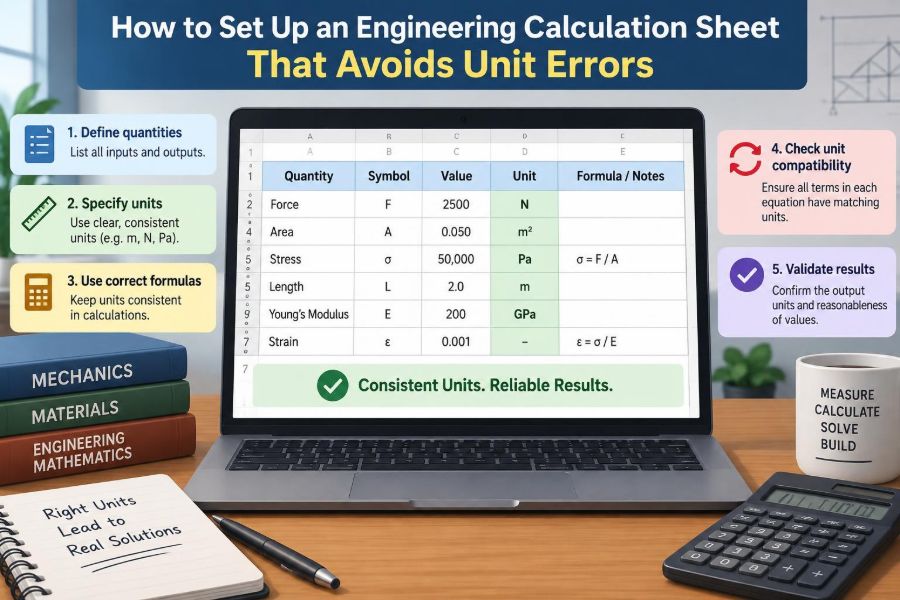

A pump-sizing calculation can look perfectly tidy: flow rate in one cell, pressure drop in another, power at the bottom. The final number may even look plausible. Yet if a pipe diameter was entered in millimetres while the equation expected metres, the result can be wrong by orders of magnitude.
Unit errors are rarely caused by difficult mathematics alone. More often, they appear when a calculation sheet hides assumptions, mixes source data, or lets values travel from one formula to the next without carrying their units with them.
For students, a clear sheet makes assignments easier to check and explain. For working engineers, it creates an auditable record that colleagues can review, reuse, and trust when a design decision matters.
The aim is not to make every spreadsheet elaborate. It is to make the engineering meaning of every number visible enough that an incorrect unit has fewer places to hide.
🧭 Treat the Sheet as an Engineering Model
A calculation sheet is not merely arithmetic arranged in rows. It is a compact model of a physical system: a beam, heat exchanger, electrical feeder, vessel, process line, or mechanism.
Each input represents something measurable, each equation represents a relationship, and each output supports a decision. Setting up the sheet well means preserving that meaning from beginning to end.
⚠️ Understand What a Unit Error Actually Is
A unit error occurs when a value is used with units different from those required by the equation, or when quantities with incompatible dimensions are combined. Adding 5 metres to 3 seconds is clearly invalid; multiplying a force in newtons by a distance in metres is valid and produces energy in joules.
Some errors are obvious. Others are subtle: bar versus pascal, kilograms versus kilograms-force, degrees Celsius versus kelvin, or litres per minute versus cubic metres per second.
🧱 Start with a Clear Calculation Purpose
Before entering data, write a short purpose statement at the top of the sheet. For example: Determine the required inside diameter of a water pipe for the stated flow and allowable velocity.
This establishes the intended output, the physical boundary of the problem, and what the calculation is not intended to cover. A sheet without a defined purpose tends to collect unrelated assumptions until its meaning becomes unclear.
📋 Define the System Boundary
State where the system begins and ends. A thermal calculation may cover only steady heat loss through a wall, not warm-up time. A structural calculation may cover a single member, not connection design or foundation capacity.
Boundaries prevent hidden terms from disappearing. If a pressure-loss calculation excludes fittings, say so; if it includes an elevation change, identify the reference elevations.
🌐 Choose One Primary Unit System
Select a primary system before building formulas. In many engineering contexts, SI units are practical: metres, kilograms, seconds, kelvin, newtons, pascals, watts, and joules.
Inputs may arrive in other units, particularly from drawings, vendor documents, field notes, or older specifications. That is normal. The key rule is convert each value deliberately into the sheet’s working units before it enters the main calculation chain.
🔢 Build an Input Register Before Formula Cells
Place inputs in a dedicated block rather than scattering numbers inside formulas. A useful input register has columns for symbol, description, entered value, entered unit, converted value, working unit, source, and notes.
| Symbol | Description | Entered value | Working value | Working unit |
|---|---|---|---|---|
| Q | Volumetric flow rate | 120 L/min | 0.0020 | m³/s |
| v | Target mean velocity | 1.5 m/s | 1.5 | m/s |
| ρ | Fluid density | 1000 kg/m³ | 1000 | kg/m³ |
This arrangement makes conversion visible and gives reviewers a fast way to trace a result back to its origin.
🏷️ Give Every Variable a Symbol, Name, and Unit
A label such as “length” is ambiguous when a sheet contains pipe length, beam span, insulation thickness, and cable route length. Use a symbol and a descriptive name together, such as Lpipe — straight pipe length — m.
Use symbols consistently with your governing equation, but do not rely on symbols alone. In different disciplines, P can mean pressure, power, probability, or load.
🔄 Separate Raw Inputs from Converted Inputs
Keep the originally supplied value intact. Next to it, calculate the converted working value with an explicit conversion formula. For 120 L/min, show the route to 0.0020 m³/s rather than overwriting the input.
This is especially valuable when someone later changes an input. They can see whether the number was copied from a drawing, estimated, measured, or converted.
📐 Write Equations in Their Dimensional Form First
Before entering spreadsheet syntax, write the equation in conventional notation and include the expected units. For pipe area, A = Q/v; if Q is m³/s and v is m/s, then A must be m².
This small pause catches many mistakes. A formula may be mathematically typed correctly but physically wrong because the variables were supplied in unsuitable units.
🧮 Use Dimensional Analysis as a Running Check
Dimensional analysis checks the categories of quantity in an equation. For example, pressure drop has dimensions of force per area, equivalent to kg/(m·s²) in base SI units.
You do not need to reduce every formula fully on every project. Check new, high-consequence, or unfamiliar equations, and check whenever an output’s unit does not match what the result is supposed to represent.
🧩 Keep Conversion Factors Explicit
Hidden constants are dangerous. A cell containing =A2/60000 may be correct for converting litres per minute to cubic metres per second, but it gives a reviewer little context.
Prefer a named conversion cell or a visible note: Q_m3_s = Q_L_min × (0.001 m³/L) ÷ (60 s/min). The expression documents both the arithmetic and the cancellation of units.
📏 Handle Squared and Cubed Units Carefully
Area and volume conversions are a frequent source of large errors because the conversion factor must be squared or cubed. Since 1 m equals 1000 mm, 1 m² equals 1,000,000 mm², and 1 m³ equals 1,000,000,000 mm³.
Do not convert 2500 mm² to m² by dividing by 1000. The correct divisor is 1,000,000. Write the exponent beside the unit; it is part of the quantity, not decoration.
🌡️ Distinguish Temperature from Temperature Difference
Absolute temperature and temperature difference behave differently. A temperature in degrees Celsius cannot generally replace kelvin in equations involving absolute temperature, such as ideal-gas relationships.
However, a temperature difference of 10 °C has the same numerical magnitude as a difference of 10 K. Label temperature variables clearly as T or ΔT, and state the scale being used.
⚡ Keep Mass, Force, and Weight Separate
Mass is measured in kilograms. Force is measured in newtons. Weight is a force produced by gravity acting on mass, often approximated by W = mg when appropriate.
Calling a mass “kg force” or using kilograms directly in a force equation can conceal a missing factor. In structural, lifting, and mechanical work, make the distinction visible in labels and equations.
🗺️ Identify Gauge and Absolute Pressure
Pressure may be reported relative to atmospheric pressure (gauge) or relative to a vacuum reference (absolute). The numerical difference is not trivial in systems involving gases, vacuum equipment, or thermodynamic properties.
Write pg or pabs rather than simply “pressure.” Never combine pressure values until their reference bases are compatible.
🧷 Put Units in Headers, Not Only in Notes
Every numerical column should show a unit in its header or adjacent unit column. A value displayed as 25 is weak information; 25 mm, 25 MPa, or 25 °C are entirely different things.
Where calculations require a single working unit, include it in the header: Stress, σ (MPa). This makes a printout meaningful even when formulas are not visible.
🎨 Use Formatting to Separate Roles
Consistent formatting helps the eye distinguish inputs, calculated intermediates, outputs, assumptions, and checks. A restrained colour convention can work well, but do not rely on colour alone because sheets may be printed or viewed with accessibility settings.
- Use a clear label such as “INPUT” for editable cells.
- Use a different fill or border for formula cells.
- Place final design results in a dedicated output block.
- Mark assumptions with a short note and source status.
The design goal is navigation, not decoration.
🔒 Protect Formula Cells Without Hiding Logic
Accidental overwriting is common in shared spreadsheets. Protect formula cells, use data validation where practical, and limit editable ranges to input cells.
Protection is not a substitute for review. Avoid opaque sheets with hidden rows, unexplained named ranges, or locked formulas that nobody can inspect. A reviewer must still be able to understand the method.
🧾 Record Sources and Assumptions Beside the Data
Every important input needs provenance: drawing reference, specification, datasheet, measured value, design instruction, or stated assumption. Add a date or revision identifier when the source may change.
Assumptions need engineering context. “Efficiency = 0.75” is incomplete; “Assumed pump efficiency for preliminary estimate; verify against selected pump curve” tells the reader how much confidence to place in it.
🧪 Use a Worked Hypothetical Example
Suppose a sheet determines a pipe diameter using A = Q/v and D = √(4A/π). With Q = 0.0020 m³/s and v = 1.5 m/s, the area is about 0.00133 m² and the calculated diameter is about 0.041 m.
If 120 L/min is entered as 120 while the formula assumes m³/s, the area becomes 80 m² instead of 0.00133 m². The resulting diameter is obviously absurd, but only if the sheet presents units and includes a reasonableness check.
🔍 Add Independent Reasonableness Checks
A dimensional check confirms that the unit category is correct; a reasonableness check asks whether the magnitude makes sense. Both are needed.
For the pipe example, compare the result with familiar pipe sizes and the stated duty. For a motor calculation, compare power with torque and speed. For a beam, compare deflection with span. A quick estimate can expose an error that a complex formula repeats consistently.
📉 Test the Direction of Change
Ask how the output should respond when an input changes. If flow rate increases at fixed pipe diameter, velocity should increase. If beam span increases under the same loading, deflection generally increases.
Change one input deliberately by a modest amount and observe the result. A reversed formula, mistaken reference, or incorrect exponent often reveals itself through an output moving in the wrong direction.
🧱 Break Long Calculations into Inspectable Stages
A single long spreadsheet formula may be efficient to type, but it is difficult to audit. Break a calculation into physically meaningful steps: geometry, material property, load effect, resistance, then utilization or margin.
Intermediate results provide checkpoints. They also make reuse safer, because another engineer can replace one stage without accidentally disturbing unrelated logic.
🔗 Avoid Typing Numbers Directly into Formulas
Hard-coded values inside formulas are easy to miss during review and difficult to update. Use references to labelled input or constants cells instead.
There are legitimate exceptions, such as the number 2 in a clearly written square-root relation. Even then, prefer named constants or an adjacent equation note when the number represents a conversion, material factor, or design assumption.
🧯 Manage Constants and Standard Values Carefully
Keep physical constants, material properties, and standard coefficients in a separate reference block. Identify the conditions under which they apply: temperature, material grade, fluid state, safety basis, or chosen design method.
A value can be correct in one context and wrong in another. Density, viscosity, resistivity, allowable stress, and heat-transfer coefficients are especially sensitive to operating conditions or assumptions.
🧑🤝🧑 Make Review Easy for Another Person
A calculation sheet should be readable by someone who did not create it. Arrange it so that a reviewer can follow the sequence from objective to inputs, conversions, method, results, and checks without hunting through tabs.
Use comments or notes for decisions that cannot be inferred from numbers alone. Peer review is most effective when the sheet exposes its logic rather than asking the reviewer to reconstruct it.
🖨️ Design for PDF and Print Review
Many calculation sheets are reviewed as PDFs, not live spreadsheets. Ensure units, page titles, revision information, column headings, and final results appear on the exported pages.
Do not rely solely on hover comments, formula bars, hidden sheets, or colour cues. A calculation record should retain its meaning outside the original file environment.
🔁 Control Revisions and Design Changes
When an input changes, record what changed and why. A simple revision block can identify the calculation revision, date, author, checker, and a concise description of changes.
For significant changes, re-run the checks rather than assuming only one output is affected. A changed fluid temperature, for example, can influence density, viscosity, pressure loss, heat transfer, and equipment selection.
🚫 Recognize Common Spreadsheet Failure Patterns
Several patterns deserve immediate suspicion:
- Numbers copied between files without their units or context.
- Mixed use of mm and m in geometry formulas.
- Pressure entered in bar where an equation expects Pa.
- Cells formatted to display fewer decimals than the calculation uses.
- Outputs rounded before they feed later calculations.
- Formula chains that refer to blank, hidden, or unintended cells.
None of these automatically makes a calculation wrong. Each is a prompt to inspect the path from input to output.
🎯 Round at the Right Stage
Display values to a sensible precision, but keep adequate precision in underlying calculations. Premature rounding can distort results when several operations or small differences are involved.
At the final output, round according to the purpose. A preliminary pipe diameter may be reported to a practical size range; a tolerance stack-up may require finer precision. Do not imply accuracy the inputs do not support.
🧠 Know What the Sheet Cannot Validate
A well-structured sheet can reduce unit errors, but it cannot prove that the governing equation is appropriate, that all load cases are included, or that a material model applies to actual conditions.
Engineering judgment remains necessary. Check applicable project requirements, manufacturer data, and the relevant design method. For safety-critical, regulated, or high-consequence work, follow the required independent checking and approval process.
✅ Use a Final Pre-Issue Checklist
Before issuing a calculation, pause for a short structured check:
- Is the purpose and system boundary stated?
- Does every input have a value, unit, source, and sensible basis?
- Have non-working units been visibly converted?
- Do equation dimensions and output units agree?
- Are gauge/absolute, mass/force, and temperature conventions clear where relevant?
- Have magnitude and direction-of-change checks been completed?
- Can a reviewer trace final outputs to their inputs?
- Does the exported record show all essential information?
A checklist does not replace understanding. It makes understanding repeatable under time pressure.
🏁 Build Sheets That Make Wrong Units Difficult to Use
The strongest calculation sheet does not depend on flawless memory. It guides the user toward correct units through labelled inputs, explicit conversions, dimensional checks, readable formulas, and independent sense checks.
That approach improves more than error prevention. It makes calculations easier to explain, revise, review, and hand over. The sheet becomes a transparent engineering argument rather than a collection of unexplained numbers.
A reliable engineering calculation sheet keeps every number connected to its physical meaning, its unit, and its source from the first input to the final decision. Build that chain deliberately, and unit errors become far easier to spot before they influence a design. 📐✅🔧