
A pump test ends with a spreadsheet full of flow rates, pressures, and timestamps. A beam calculation produces a deflection curve that is correct on paper but difficult to interpret at a glance. A control-system model works until one parameter changes, and then the question becomes: what actually changed?
Graphs answer these questions quickly—when they are trustworthy. They turn columns and equations into shape, trend, scale, and comparison. But a graph can also mislead if units are mixed, samples are missing, an axis hides variation, or a mathematical expression is evaluated unsafely.
Building a small graphing tool is therefore a useful engineering project. It combines numerical methods, data handling, interface design, and validation in one practical application. The result does not need to compete with specialist software; it needs to make a specific engineering task clearer and more repeatable.
This guide develops the design thinking behind such a tool: one that can plot equations, display measured data, and help a user investigate the difference between a model and reality.
🧭 Start With the Decision the Graph Must Support
A graphing tool should begin with a user decision, not a list of visual features. Ask whether the user needs to choose a pump operating point, check whether test data follow a predicted trend, compare design alternatives, or spot a sensor fault.
That decision determines what belongs on the screen. For example, an equation plotter for a vibration model needs parameter controls and a clear time axis. A laboratory data viewer needs file import, units, and a way to identify questionable measurements.
A useful graph reduces uncertainty about one engineering question. If a feature does not help answer that question, it can wait.
🎯 Define a Small, Useful First Version
“Graph engineering data” is too broad for a first build. Define a narrow minimum viable tool that works reliably before adding advanced controls.
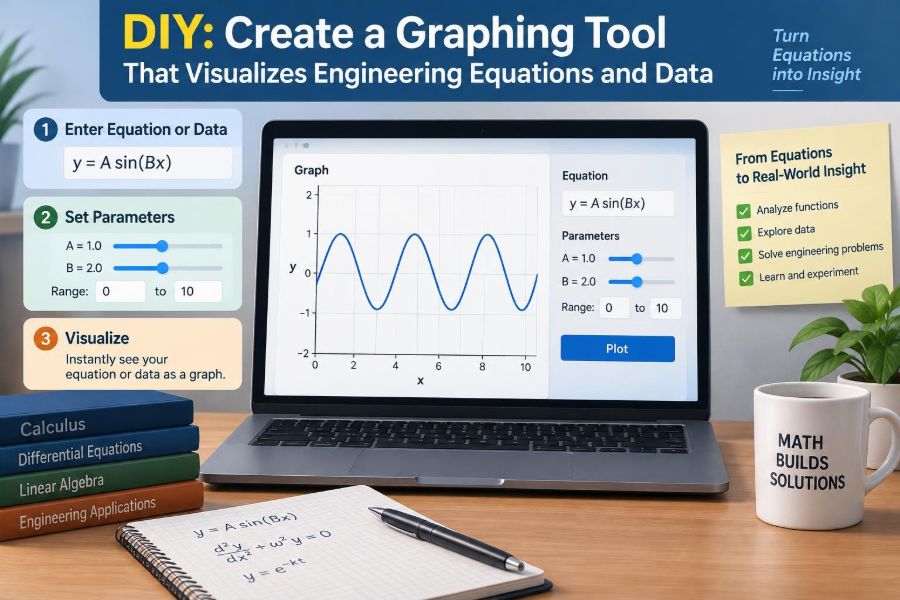
- Enter one equation in terms of
x. - Choose an x-range and a sampling interval or sample count.
- Plot one or more data series from a CSV file.
- Label axes with quantities and units.
- Show errors without crashing or silently producing a wrong plot.
This scope covers many classroom and workplace tasks. Once it is stable, you can add curve fitting, logarithmic scales, annotations, export, and interactive parameter sweeps.
🧱 Choose an Architecture That Separates Responsibilities
Even a modest tool benefits from separate layers. Keep the user interface, calculation logic, data cleaning, and rendering code distinct. This makes it easier to test the mathematical parts without clicking through the interface.
| Layer | Responsibility | Typical output |
|---|---|---|
| Input layer | Read forms, files, and selected options | Raw text and files |
| Model layer | Parse expressions, convert units, sample functions | Validated numerical arrays |
| Data layer | Clean, filter, and preserve measurement metadata | Plot-ready series |
| View layer | Draw axes, lines, points, legend, and messages | Interactive chart |
A browser application can use JavaScript with a charting library or canvas renderer. A desktop prototype may use Python and a plotting library. The language matters less than keeping a single source of truth for the numerical data passed to the chart.
📏 Treat Units as Data, Not Decoration
In engineering, the label “pressure” is incomplete. A value of 100 can mean 100 Pa, 100 kPa, or 100 psi—quantities with very different implications. Store a unit alongside each variable, column, parameter, and axis.
Choose an internal unit system, often SI, and convert input values before calculations. Display units may be chosen for reader convenience, but conversions should be explicit. A tool that plots a pressure equation expressed in pascals against imported data expressed in kilopascals must not compare their raw numbers.
Dimensional checking can be introduced gradually. At a minimum, warn when a user tries to add unlike dimensions or label an axis inconsistently.
🔢 Represent Variables, Parameters, and Constants Clearly
Users need to distinguish the independent variable from values that shape the curve. In y = A sin(2πft + φ), t is the variable, while amplitude A, frequency f, and phase φ are parameters.
Present parameters in a compact table or form with name, numerical value, unit, and optional description. Define built-in constants such as pi and e explicitly rather than assuming every user knows the syntax your parser accepts.
A clear parameter model unlocks exploration. Changing damping ratio from 0.1 to 0.4 should update the response curve while preserving the original case for comparison.
🧮 Parse Equations Without Executing Arbitrary Code
Letting a user type an equation does not mean passing that text directly to a general-purpose evaluator. Expressions can contain malformed syntax, unexpectedly expensive calculations, or commands unrelated to mathematics.
Use a parser designed for mathematical expressions, or implement a restricted grammar. Allow numeric literals, approved variables, parentheses, arithmetic operators, and a controlled list of functions such as sin, cos, exp, log, and sqrt.
- Reject unknown identifiers with a readable message.
- Limit expression length and nesting depth.
- Block assignment, file access, network access, and general code execution.
- State whether trigonometric inputs are interpreted in radians.
Security and numerical correctness meet here: a constrained expression language is safer and easier to document.
🗺️ Sample the Domain Rather Than Drawing an Abstract Formula
A computer displays a function by evaluating it at finite locations. For an x-range from 0 to 10 with 1,000 samples, the tool calculates x₀, x₁, …, x₉₉₉ and corresponding y-values, then joins valid neighboring points.
Uniform sampling is a sensible default. The spacing is approximately Δx = (xmax − xmin)/(N − 1). It is easy to reason about, but it can miss narrow peaks or fast oscillations if N is too small.
For a first version, expose both range and sample count. Later, adaptive sampling can place extra points where curvature changes quickly.
⚡ Choose Resolution From the Physics
Resolution is not merely a visual preference. Suppose a sine wave has frequency f and is plotted over time. Sampling only twice per cycle can satisfy a theoretical minimum in simple circumstances, yet it rarely produces a convincing or robust engineering view.
Use substantially more samples per shortest feature you expect to inspect. The required density depends on noise, display width, sharp transients, and whether derivatives or peak locations will be estimated.
For measured signals, sampling is constrained by the acquisition system. Your plotting tool cannot recover behavior above the measurement system’s useful bandwidth. It can, however, flag a line that appears sparse relative to the displayed time scale.
🚧 Handle Discontinuities, Singularities, and Invalid Values
Equations are not always defined everywhere. The function 1/(x−2) has a vertical asymptote at x = 2; sqrt(x) is not real for negative x; and log(x) requires a positive argument in real-valued plotting.
Do not connect a line across invalid regions. Mark non-finite results—NaN, positive infinity, and negative infinity—as breaks in the plotted series. A jump from a huge positive value to a huge negative value is not a physical line segment.
A warning such as “Function undefined across part of the selected range” is much more helpful than an unexplained blank chart.
📈 Make Axes Communicate Quantity and Scale
Every axis should identify a quantity and unit: Time, t (s), Deflection, v (mm), or Reynolds number, Re (–). A dimensionless number can use a dash rather than inventing a unit.
Choose linear axes when equal differences are meaningful. Use logarithmic axes when values span orders of magnitude and ratios are more informative, as in a Bode magnitude plot or fatigue-life comparison. A log axis cannot show zero or negative values, so the tool must prevent or explain invalid choices.
Automatic axis limits are convenient, but allow manual limits for direct comparison among test runs. Auto-scaling each curve independently can make very different magnitudes look deceptively similar.
🎨 Use Visual Encoding Deliberately
A continuous model is usually best shown as a line. Discrete measurements are often better as markers, optionally connected when their acquisition order matters. Error bars, shaded tolerance bands, and reference lines should have distinct roles rather than compete for attention.
Use color as one cue, not the only cue. Different line styles and marker shapes help readers who print in grayscale or cannot distinguish certain colors. Keep contrast high and avoid relying on red-versus-green alone.
Legends should name the engineering meaning of a series—“Measured outlet pressure” or “Model, k = 800 N/m”—instead of generic labels such as “Series 1.”
📂 Import Measurement Data With a Stated Contract
CSV is practical because many instruments and spreadsheets can export it, but CSV files vary. They may use commas or semicolons, include blank rows, use localized decimal separators, or embed comments before the header.
Define what your importer expects: a header row, one column per variable, and numeric values beneath it. Let the user map columns to x and y rather than assuming the first two columns are always correct.
Preserve the original file separately from any cleaned result. Reproducibility depends on being able to trace a plot back to the measurements used to create it.
🧹 Clean Data Without Erasing Its History
Real data contain missing readings, repeated timestamps, startup transients, and occasional sensor glitches. Cleaning can be necessary, but it must remain visible. A plot that quietly removes inconvenient points is difficult to trust.
Provide explicit options such as “exclude rows with missing values,” “display suspected outliers,” or “limit plot to steady-state interval.” Record the selection and display how many points were excluded.
Filtering deserves particular care. A moving average may make a noisy temperature trend easier to read, but it can blur a genuine rapid change. Show raw and filtered data together when the comparison affects interpretation.
🔍 Validate Inputs Before Calculating
Validation should happen as close to the input as possible. Check that ranges have finite numerical endpoints, minimum is smaller than maximum, sample count is positive, and a selected logarithmic axis contains admissible values.
Useful messages name the problem and the correction: “The x-range must have two finite values with xmin < xmax.” Avoid vague messages such as “invalid input,” which leave the user guessing.
Also distinguish an invalid request from a valid result with no visible variation. A nearly constant curve may be correct; a parser failure is not.
🧪 Test With Equations Whose Behavior You Know
Before trusting a sophisticated model, test the graphing pipeline with functions that reveal common errors. A linear equation checks axis scaling; a sine wave checks periodic sampling; a parabola checks curvature; and a reciprocal function checks discontinuity handling.
Useful test cases
y = 2x + 1: verify slope and intercept.y = sin(x): verify radians, period, and sample density.y = x^2: verify symmetry and range limits.y = 1/x: verify that no line crosses x = 0.y = sqrt(x): verify treatment of an invalid domain.
These are not just programming tests. They are visual checks that the tool represents known mathematics honestly.
🏗️ Build a Beam-Deflection Example
A simply supported beam under a central point load is a useful hypothetical example because its behavior is familiar and the units reveal mistakes quickly. In a simplified small-deflection model, the maximum deflection depends on load, span, elastic modulus, and second moment of area.
Your tool might accept a piecewise equation for deflection along position x, plot the deflected shape, and overlay measured dial-gauge readings from a laboratory test. The equation is an idealized model; measured points may differ because of support compliance, load placement error, or material behavior.
Label the plot with position in metres and deflection in millimetres. Mixing those scales without clear conversion is a common source of implausible-looking results.
🌊 Build a Pump-Curve Example
A pump curve commonly relates flow rate to head, while the system curve represents head required by piping and equipment. Their intersection estimates an operating point for a particular system configuration.
A graphing tool can plot manufacturer-supplied or measured pump data as points, a fitted or specified pump relation as a line, and a system relation that changes with valve position. This visualization makes the interaction clearer than separate tables of values.
Do not imply more precision than the input supports. Pump performance depends on fluid properties, speed, installation, and measurement conditions; a plotted intersection is an engineering estimate, not an unconditional promise.
📡 Build a Frequency-Response Example
For a mass-spring-damper model, frequency response shows how output amplitude or phase changes with excitation frequency. A logarithmic frequency axis is often appropriate because the relevant range may span several decades.
Plotting magnitude in decibels requires care: decibels express a logarithmic ratio, so the reference quantity must be defined. Phase should also state its unit, usually degrees or radians, and phase wrapping should be handled consistently.
This example reveals why axis choices are part of the analysis. A resonance peak that is obvious on a logarithmic frequency plot can be hard to inspect on an unsuitable linear scale.
🔁 Compare Model and Measurement, Not Just Curves
Overlaying a model and test data is valuable only if the comparison is meaningful. Use the same independent variable, compatible units, and an identified test condition. If data are taken at irregular x-values, evaluate the model at those same positions when calculating residuals.
A residual is the difference between observed and predicted values. Plotting residuals separately can reveal a systematic pattern that is hidden in the main chart—for example, increasing error at high flow rate or an offset after a temperature change.
Systematic disagreement often points to a missing effect or bad assumption. Random scatter may instead reflect measurement noise, resolution, or uncontrolled conditions.
🧷 Make Assumptions Visible
Every equation carries assumptions: steady state, linear material response, negligible friction, small angle, constant temperature, or ideal sensor behavior. A graph can look authoritative even when its assumptions do not apply.
Add a compact notes area or plot subtitle that records the selected model, parameter values, source of data, and relevant assumptions. This is especially helpful when a screenshot is shared without the original project file.
A visually polished curve is not evidence that its model is valid for the situation being studied.
🖱️ Add Interaction That Supports Investigation
Zooming and panning are useful when they help inspect a localized feature, such as a transient spike or resonance peak. Tooltips can show exact coordinates, units, series names, and point identifiers.
Parameter sliders are especially effective for learning and design exploration. A user can see how increasing damping broadens and lowers a resonance peak, or how changing pipe diameter shifts a system curve.
Keep interactions predictable. Include a reset-view control, avoid changing scales without notice, and ensure keyboard operation where practical. A chart should remain understandable when viewed as a static exported image.
💾 Save Configuration Alongside Results
A plot is reproducible only when someone can reconstruct it. Save the equation text, parameter values, selected ranges, units, axis types, display options, filtering choices, and data-file identity or embedded data where appropriate.
Exporting an image is convenient for reports, but export structured data too. CSV or JSON output lets another person inspect values, rerun calculations, or use the series in a separate analysis workflow.
For high-stakes engineering decisions, follow the organization’s existing review, version-control, and documentation processes. A personal plotting tool is not a substitute for formal verification.
⚠️ Avoid Common Graphing Mistakes
Many misleading plots are created by reasonable-looking defaults. The best defense is to design checks into the tool rather than relying on users to catch every issue manually.
- Starting an axis far above zero can exaggerate a small difference; use it only when the truncation is clearly visible and justified.
- Connecting unordered scatter points can create a false path; sort by x only when that matches the physical meaning.
- Using smoothing to hide noise can hide faults or transients.
- Displaying too many series at once can make every series unreadable.
- Rounding tooltip values too aggressively can conceal meaningful precision, while displaying excessive digits suggests false accuracy.
Good defaults should encourage honest interpretation, while still giving knowledgeable users controlled flexibility.
🧰 Select Libraries With Engineering Constraints in Mind
A mature charting library can accelerate development through axes, tooltips, responsive layout, and exports. A lower-level canvas or SVG approach offers more control when you need unusual annotations, custom sampling behavior, or specialized interaction.
Evaluate dependencies for long-term maintenance as well as appearance. Check documentation quality, accessibility support, performance with your expected point count, licensing compatibility, and whether the library handles missing values and log scales in the way your application requires.
For numerical work, use established parsing and array tools where possible, but independently verify the engineering logic built around them.
🚀 Keep Performance Predictable
Plotting millions of points is rarely necessary to communicate a trend on a screen with a limited number of pixels. Large datasets can slow interaction, obscure patterns, and consume memory.
Use progressive strategies: initially draw a decimated overview, request or process more detail when the user zooms, and retain extrema so narrow peaks do not disappear during downsampling. Computations that take noticeable time should show progress and remain cancellable.
Never silently discard data in a way that changes the engineering conclusion. If the display is reduced for speed, say so and preserve access to the original values.
🔐 Respect Data Sensitivity and Tool Boundaries
Test data can contain proprietary designs, client information, or safety-relevant measurements. A browser-based tool that uploads files to a server needs a clear explanation of where files go, how long they remain, and who can access them.
Local processing can reduce exposure for many use cases, though it does not remove the need for secure device and organizational practices. Treat imported text as untrusted input, and avoid putting confidential datasets into screenshots or public bug reports.
Most importantly, communicate the tool’s boundary. It can support analysis and communication; it does not independently validate sensors, certify designs, or replace professional judgment.
📚 Turn the Tool Into a Learning Instrument
A good educational graphing tool can reveal the connection between equation form and physical behavior. Let learners toggle individual terms, compare parameter cases, and inspect units at every step.
For example, plotting y = mx + c with adjustable m and c makes slope and intercept tangible. Extending that idea to damping, heat transfer, or fluid resistance shows that equations are compact descriptions of changing systems.
Short prompts can deepen exploration: What happens outside the calibrated data range? Which parameter changes curve shape, and which merely shifts it? Does the result remain physically plausible?
✅ Use a Practical Build Sequence
- Write one or two engineering questions your tool will answer.
- Define supported variables, units, equation syntax, and file format.
- Build validated input forms and a safe expression parser.
- Generate arrays, handle invalid domains, and draw labeled axes.
- Import a small dataset and preserve its raw form.
- Test against known equations and deliberately bad inputs.
- Add overlays, residuals, interaction, saving, and export in that order of need.
This sequence keeps the visual layer tied to validated numbers. It also prevents a common trap: building a beautiful interface before establishing whether the calculations are correct.
🧠 Bring the Design Back to Engineering Judgment
The most valuable graphing tool does not merely turn numbers into colored lines. It preserves units, shows assumptions, exposes missing or invalid values, and makes comparisons traceable.
Start small, validate relentlessly, and extend features only when they help a user reason about a real system. When equations and measurements are displayed with their limits intact, the graph becomes a practical bridge between mathematical models and engineering decisions.
Build the graph so that it makes the right question easier to ask—not merely the result easier to see. 📐📊🛠️